
Database objects: tables and views that already exist
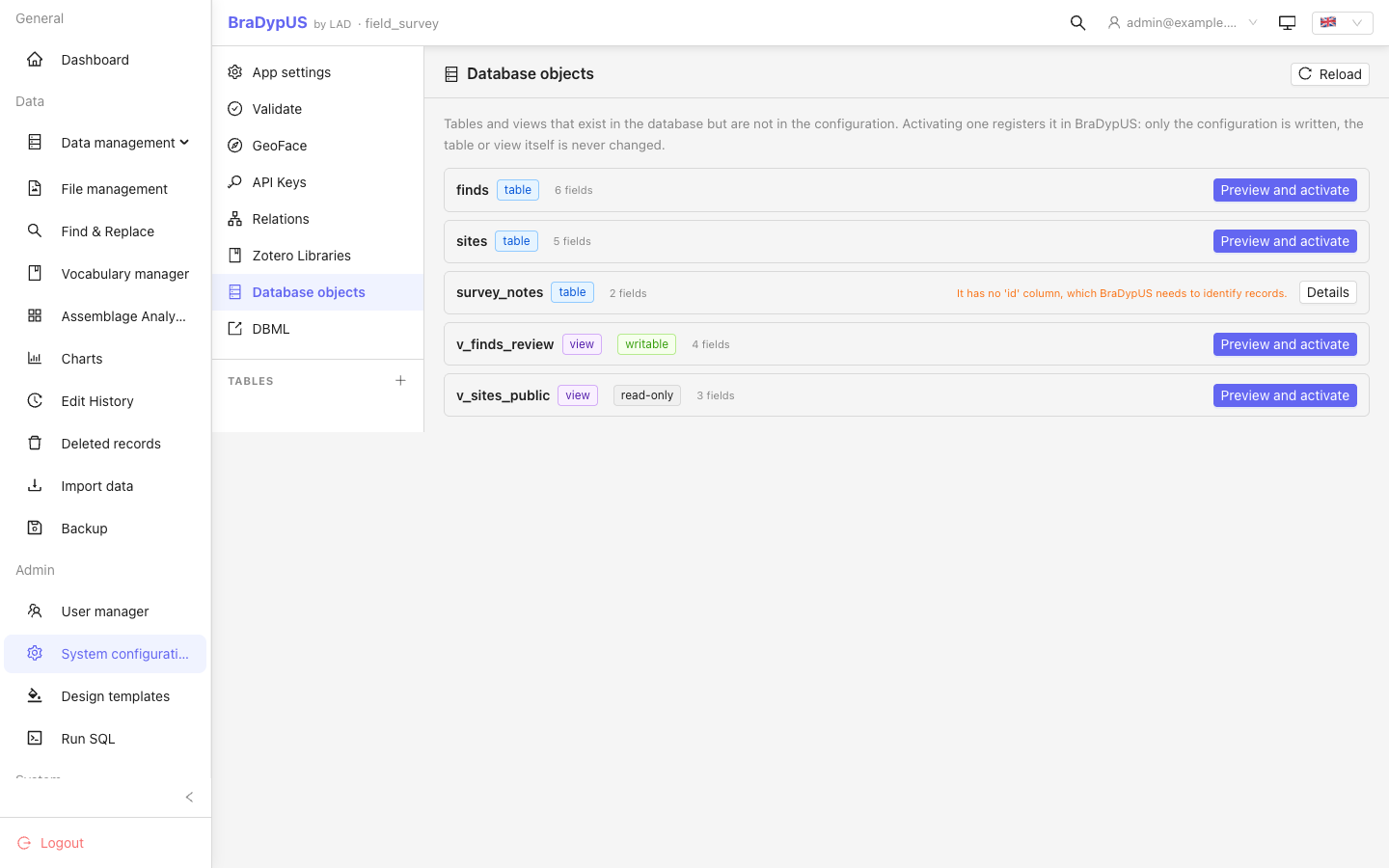
A database often holds more than BraDypUS knows about: a table created by hand or by another tool, a table you took out of the configuration, a SQL view you wrote. Config → Database objects lists everything that is in the database but not in the configuration, and lets you activate it, that is, register it as a BraDypUS table.
The tables and views come from your database (created by another tool, by hand, or from Run SQL in the sidebar: see SQL views as tables).
Activation writes configuration only (bdus_cfg_tables, bdus_cfg_fields, bdus_cfg_relations). The table or view itself is never altered.
The list
Each row shows the name, whether it is a table or a view, how many columns it has and, for a view, whether it is read-only or writable. A row that cannot be activated says why:
| Reason | What to do |
|---|---|
It has no id column | BraDypUS identifies every record by id. Add the column to the table, or to the view |
A writable view has no creator column | The creator of a new record is stored in creator. Add it to the view (it must come from a base table), or make the view read-only |
| The name is not valid | Letters, digits and underscore, starting with a letter |
| It is already in the configuration | Nothing to do |
System tables (bdus_*) are never listed.
Activating
Click Preview and activate. The preview shows what will be created before anything is written:
- Fields. One for every column, in database order, with the type deduced from the SQL type: dates and timestamps become date fields, booleans become yes/no, very large text types (
MEDIUMTEXT,LONGTEXT,CLOB) become text areas, and everything else is a one-line text field (SQLite usesTEXTfor every string, so it cannot tell short from long: change the type afterwards if you need a text area).idandcreatorare read-only. - Preview fields.
idand the first free-text column. - Foreign keys. A real foreign key declared in the database becomes a relation. If the table it points to is not configured yet, that relation is skipped and reported: activate that table first, then this one.
- For a view, its SQL, read-only.
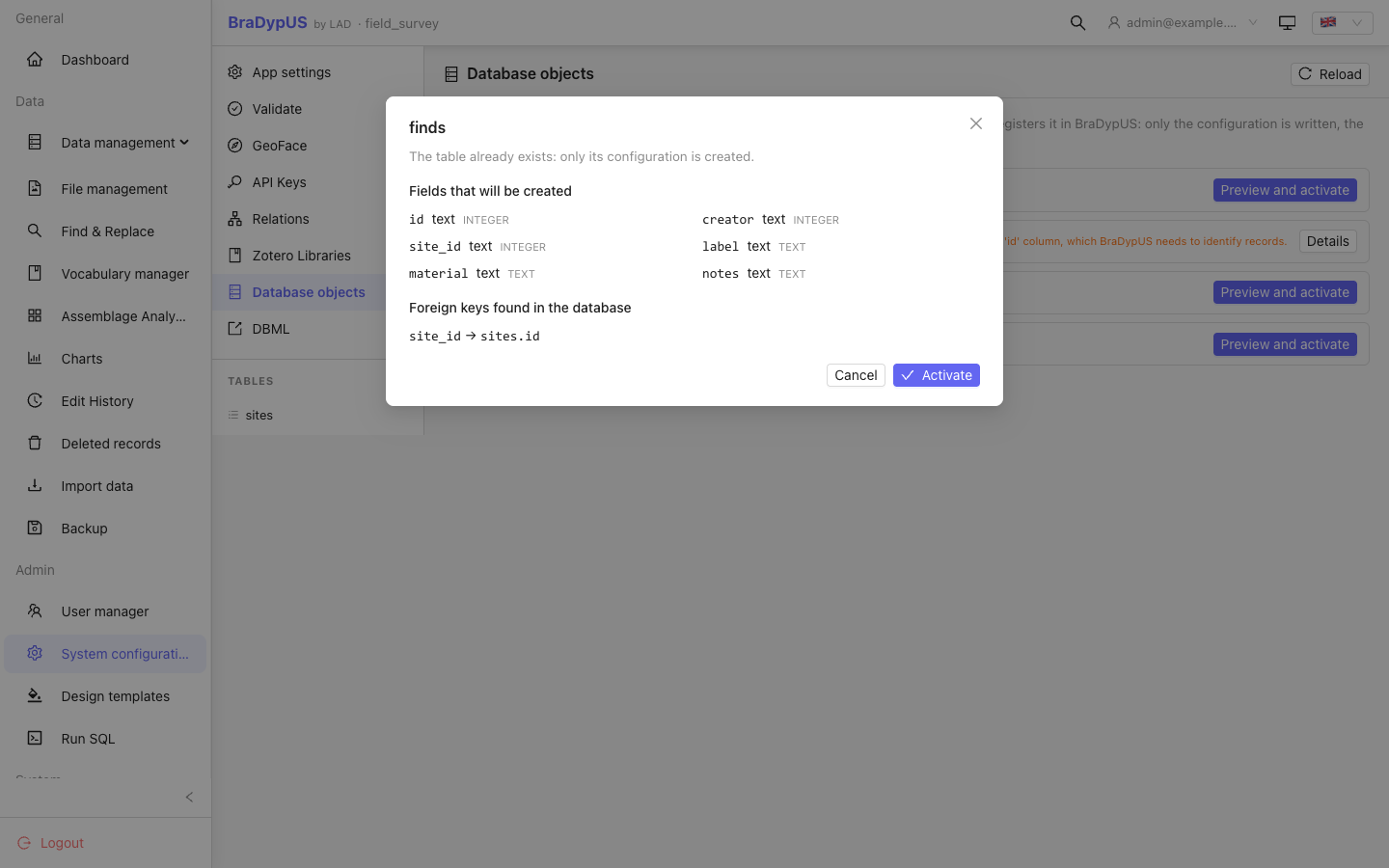
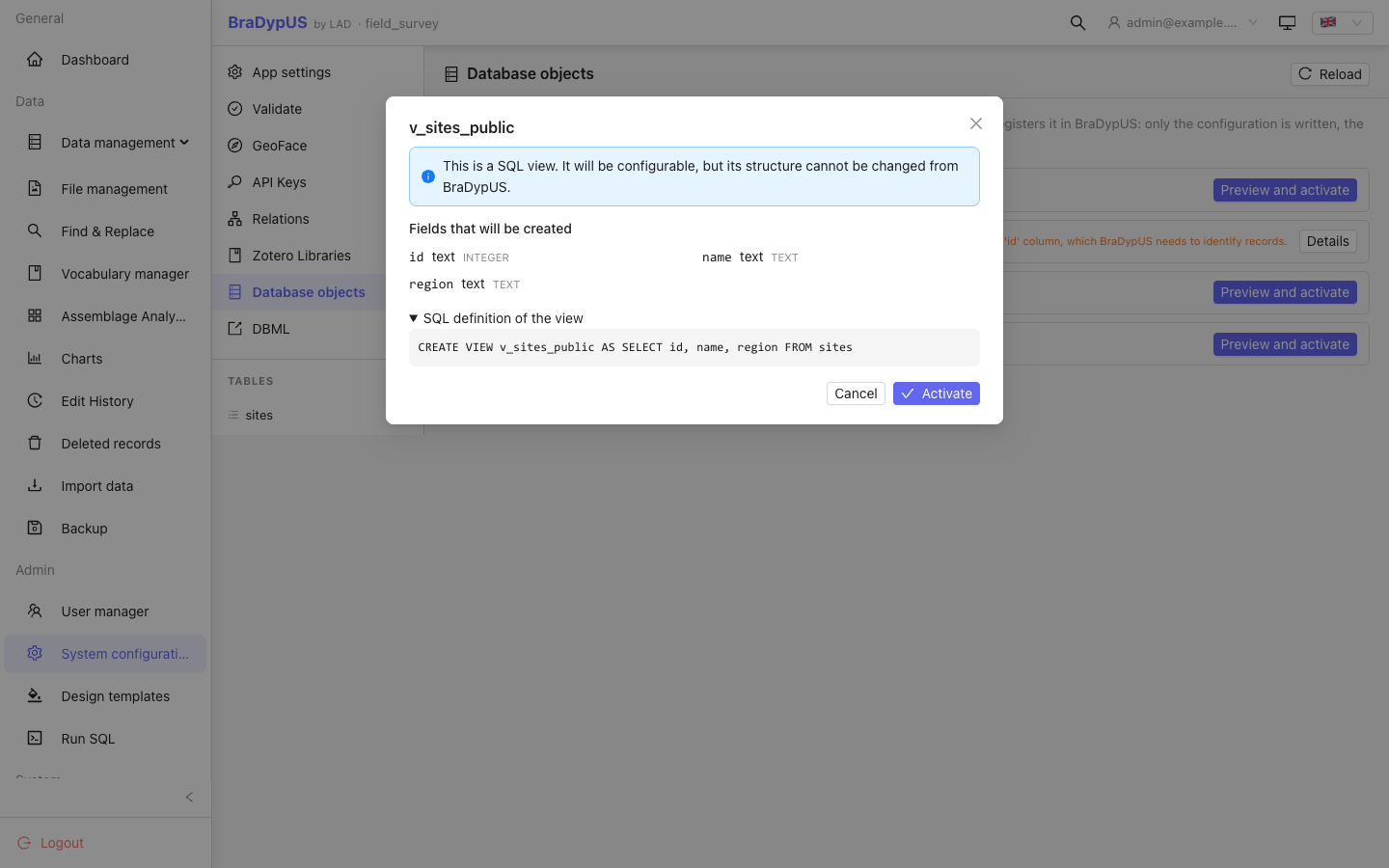
Labels start as the table name. Edit them in Config → Tables like for any table.
Order matters for relations
Activate the tables that others point to first (sites before finds), so the foreign keys of the second can be turned into relations at once.
Views
A registered view is a table to BraDypUS, with these differences: it shows a view badge and its SQL (read-only) in the table settings; you can configure labels, field types and the preview, but not add, rename or delete fields, rename the view, drop it, add indexes or relations, or switch on system plugins. Those answer view_not_alterable: the structure of a view belongs to the database.
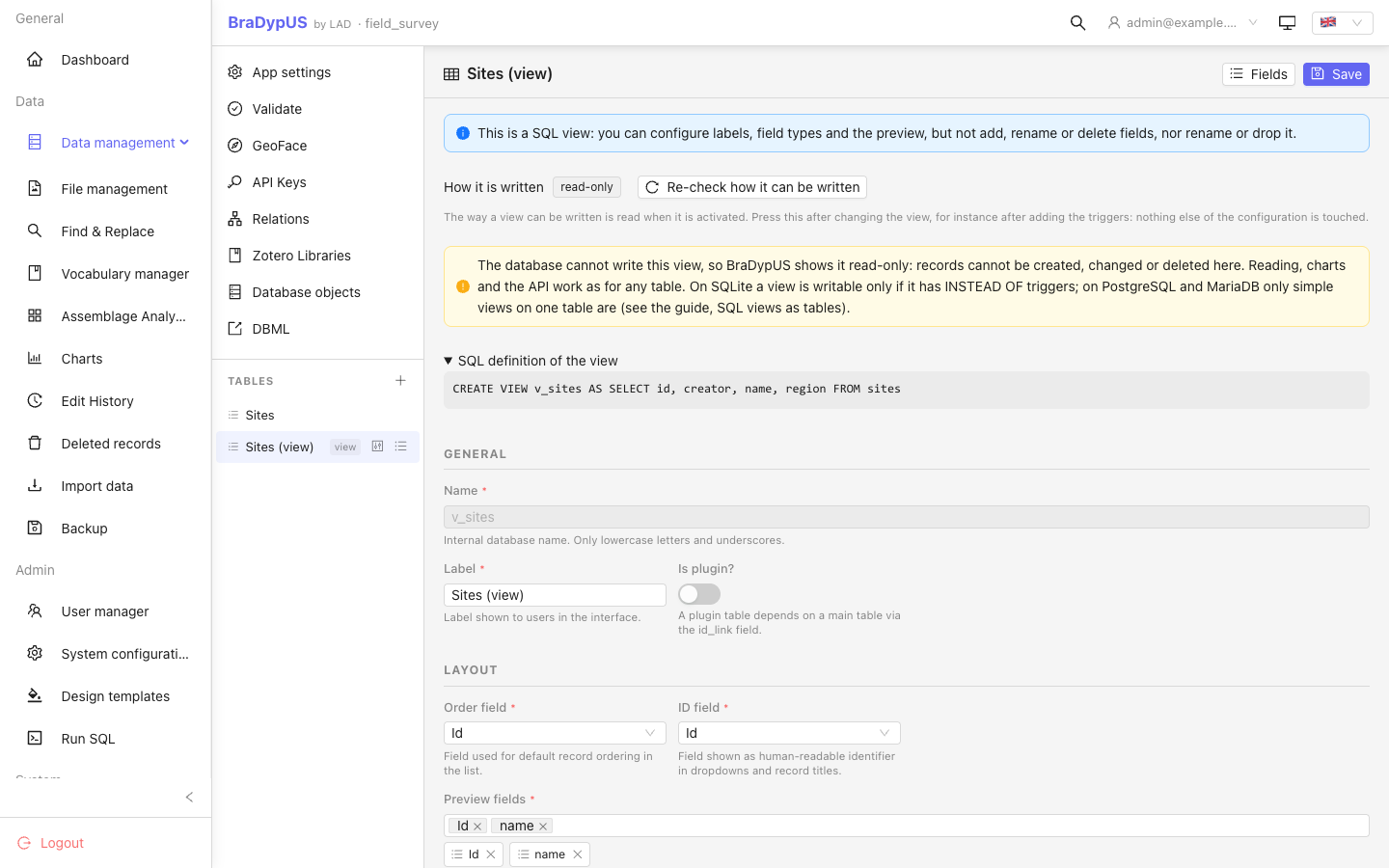
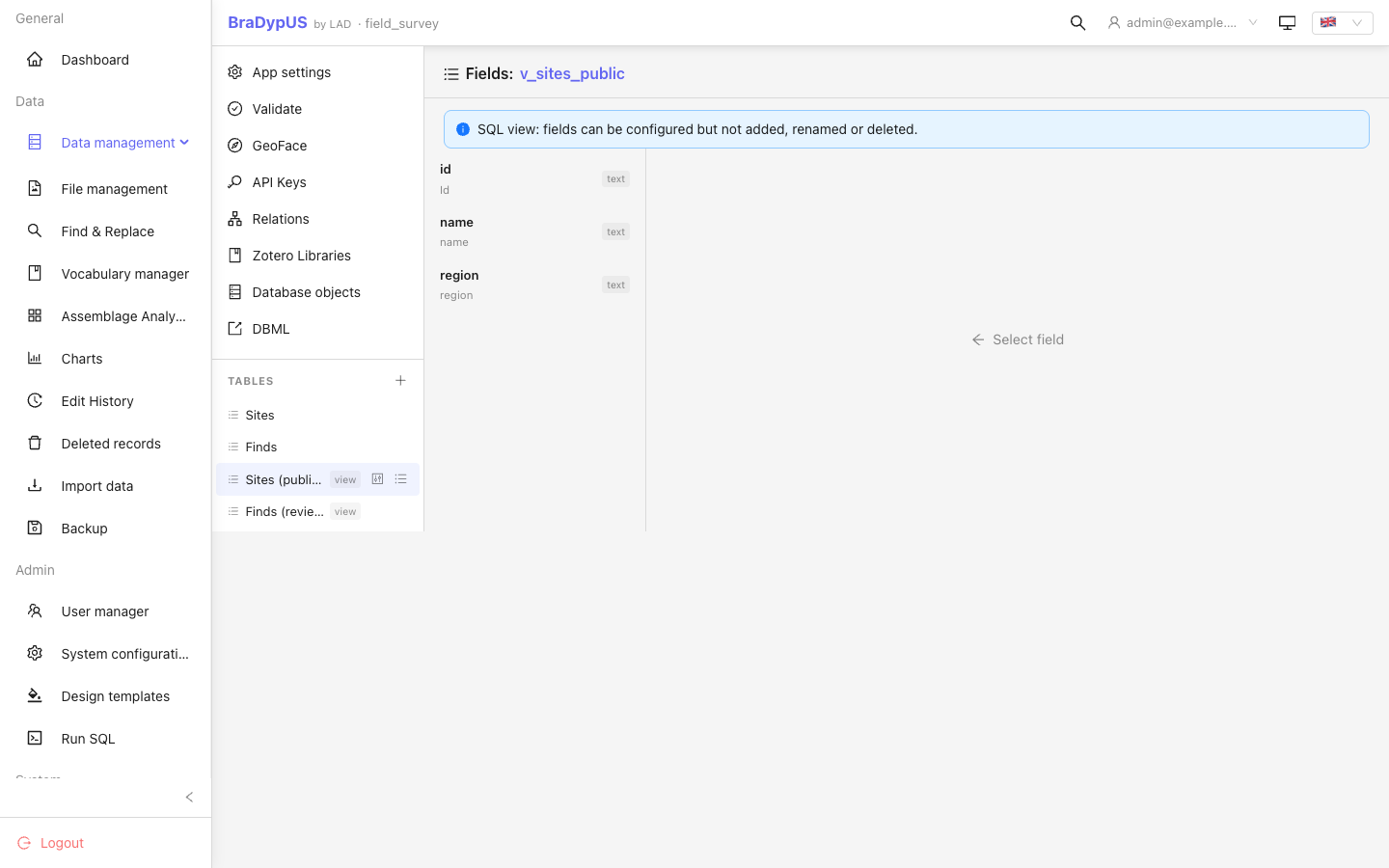
Read-only views have no Edit, Delete or New in the interface, and the server refuses writes with view_read_only. The settings of a view say whether it is read-only or writable, why, and have a Re-check how it can be written button for after you change the view (on SQLite, after adding the triggers that make it writable). How a view is written, the history it keeps and the limits are in SQL views as tables.
Deactivate, remove from configuration, delete
There are three ways to take a table out of use, from the least to the most drastic. They work for every table, not only for the ones you activated.
| Configuration | Table and data in the database | Undo | |
|---|---|---|---|
| Deactivate | kept | kept | Reactivate: the configuration comes back exactly as it was |
| Remove from configuration | deleted | kept, with its foreign keys | Activate it again: it is a new configuration, labels and field settings are lost |
| Delete table | deleted | dropped, with all its data | None. Restore a backup |
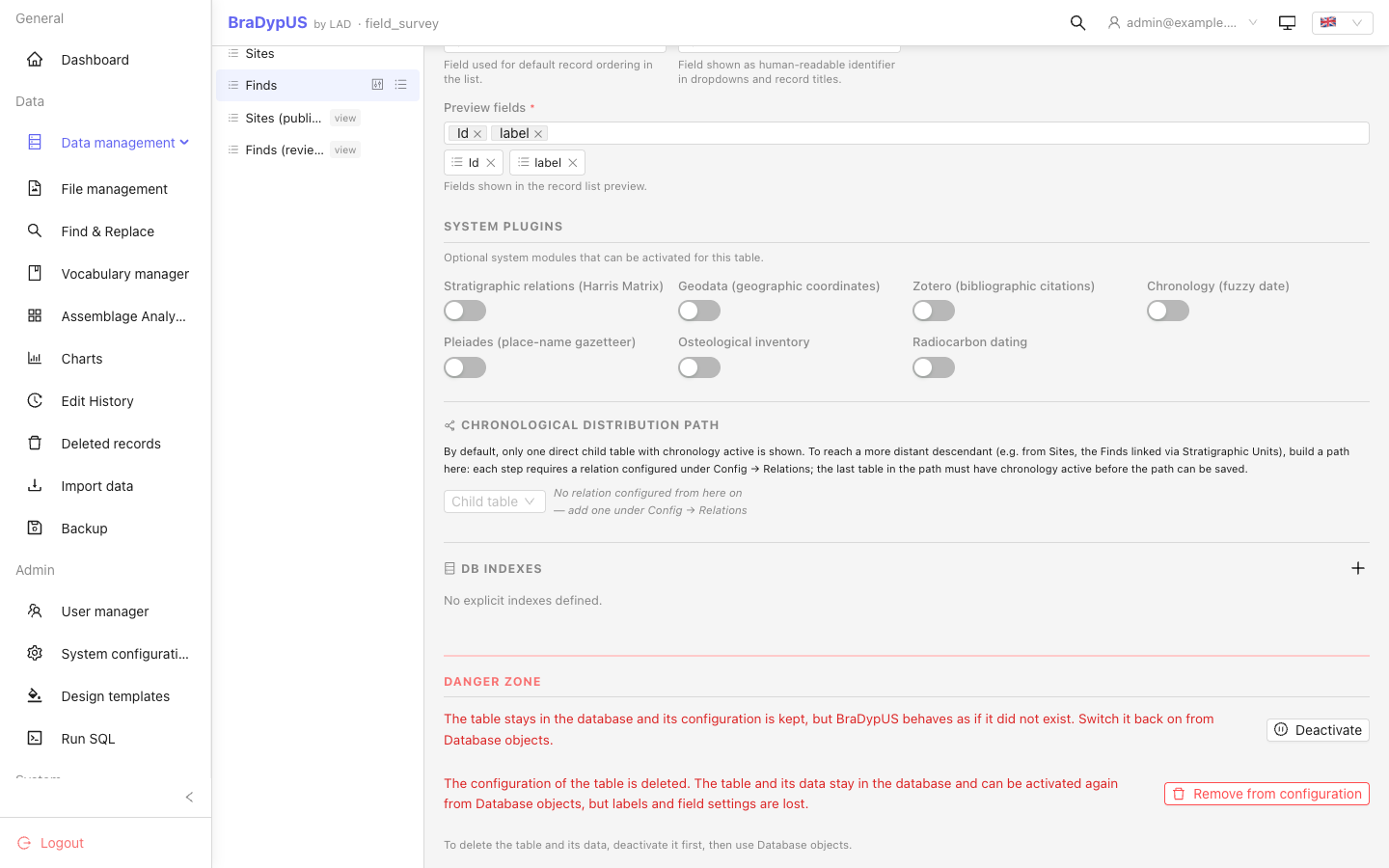
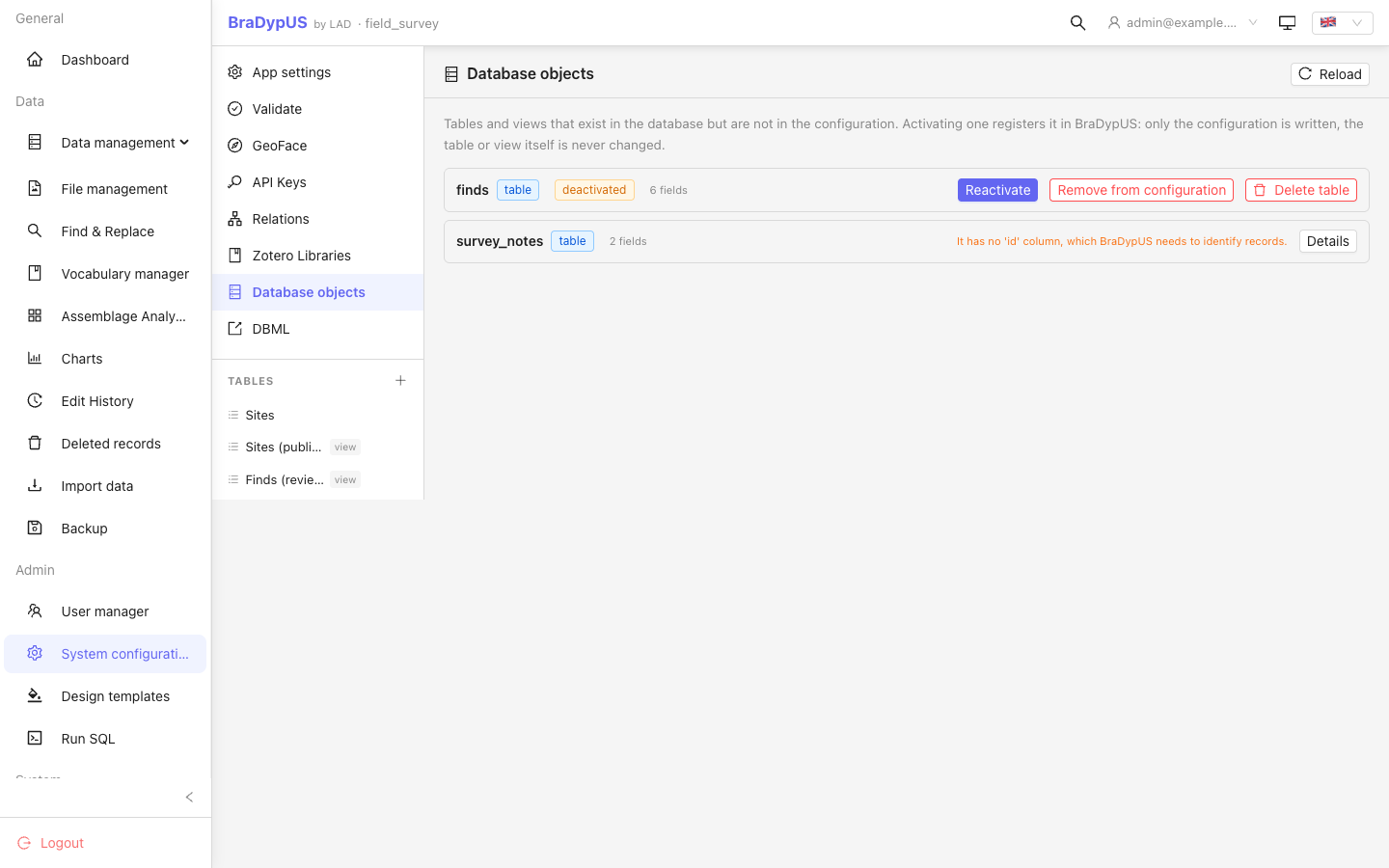
- Deactivate and Remove from configuration are in the Danger zone of the table settings. A deactivated table is in Database objects with a deactivated tag, and Reactivate switches it back on.
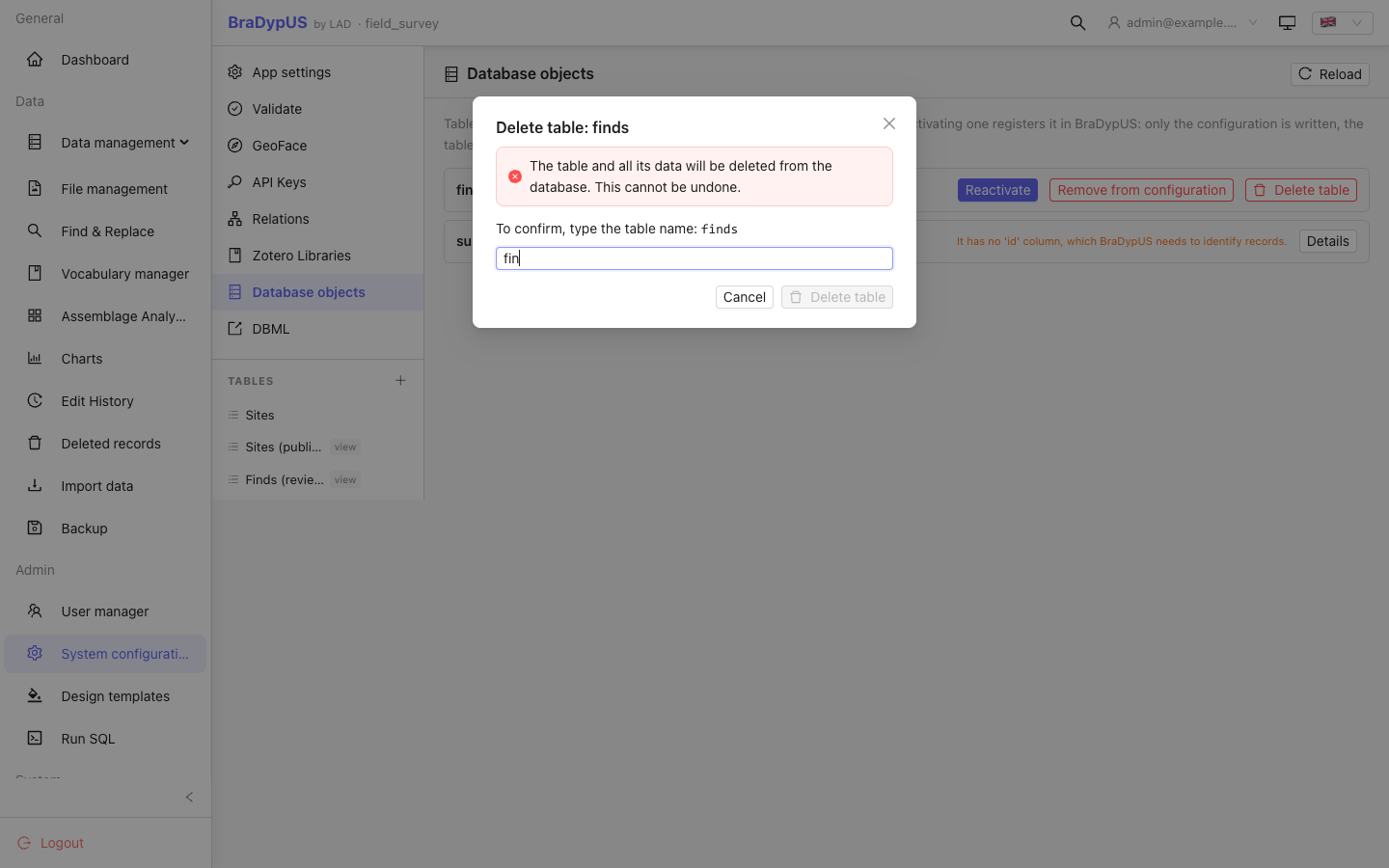
- Delete table is offered only in Database objects, only for a table that was deactivated first, and asks you to type the table name.
- A view is never dropped by BraDypUS: for a view there are only the first two.
What deactivating does to the rest
A deactivated table behaves as if it did not exist: it is gone from the table lists, the menu, search and exports, relations pointing to it are ignored (they come back when it is switched on again), and nothing can be created in it. Things that name the table and are not part of its configuration keep their text but stop working until you reactivate it: saved queries, charts, assemblage analyses, templates, group rules and locks.
Two limits:
- A plugin table, and a table that has plugins, cannot be deactivated on their own (
table_not_deactivable): deactivating the parent would orphan its plugins. - A new table, or a DBML import, cannot take the name of a deactivated table.
For scripts and assistants
All routes need the super-admin token.
| Route | What it does |
|---|---|
GET /api/config/db-objects | The list above, with activatable, reason, inactive |
GET /api/config/db-objects/{name} | The preview: fields, foreign keys, view SQL. Writes nothing |
POST /api/config/db-objects/{name}/activate | Activates, or reactivates a deactivated table |
POST /api/config/table/{tb}/view-writable | Re-reads how a registered view can be written (none / probe / trigger), nothing else changes |
PUT /api/config/table/{tb}/active {"active": false} | Deactivate / reactivate |
DELETE /api/config/table/{tb}?keep_data=1 | Remove from configuration, keep the table |
DELETE /api/config/table/{tb} | Drop the table and its data |
The last route does not ask
DELETE /api/config/table/{tb} without keep_data drops the table at once. The interface makes you deactivate first and type the name; the API does not. A script, or an assistant using the API, must not call it without the explicit consent of the person who owns the data.
The same names appear in the OpenAPI description.
Keeping it consistent
Config → Validation checks the registered views against the database: a view must still be a view (and a table still a table), keep its id column, and the way it can be written is compared with what was found when it was activated (fix it with Re-check how it can be written). A column added to or removed from a view is reported with what to do: remove the view from the configuration and activate it again.