
Vocabularies
A vocabulary is a controlled list of values used to populate select, multi_select and combo_select fields.
Open Vocabularies from the sidebar navigation (not from Config).
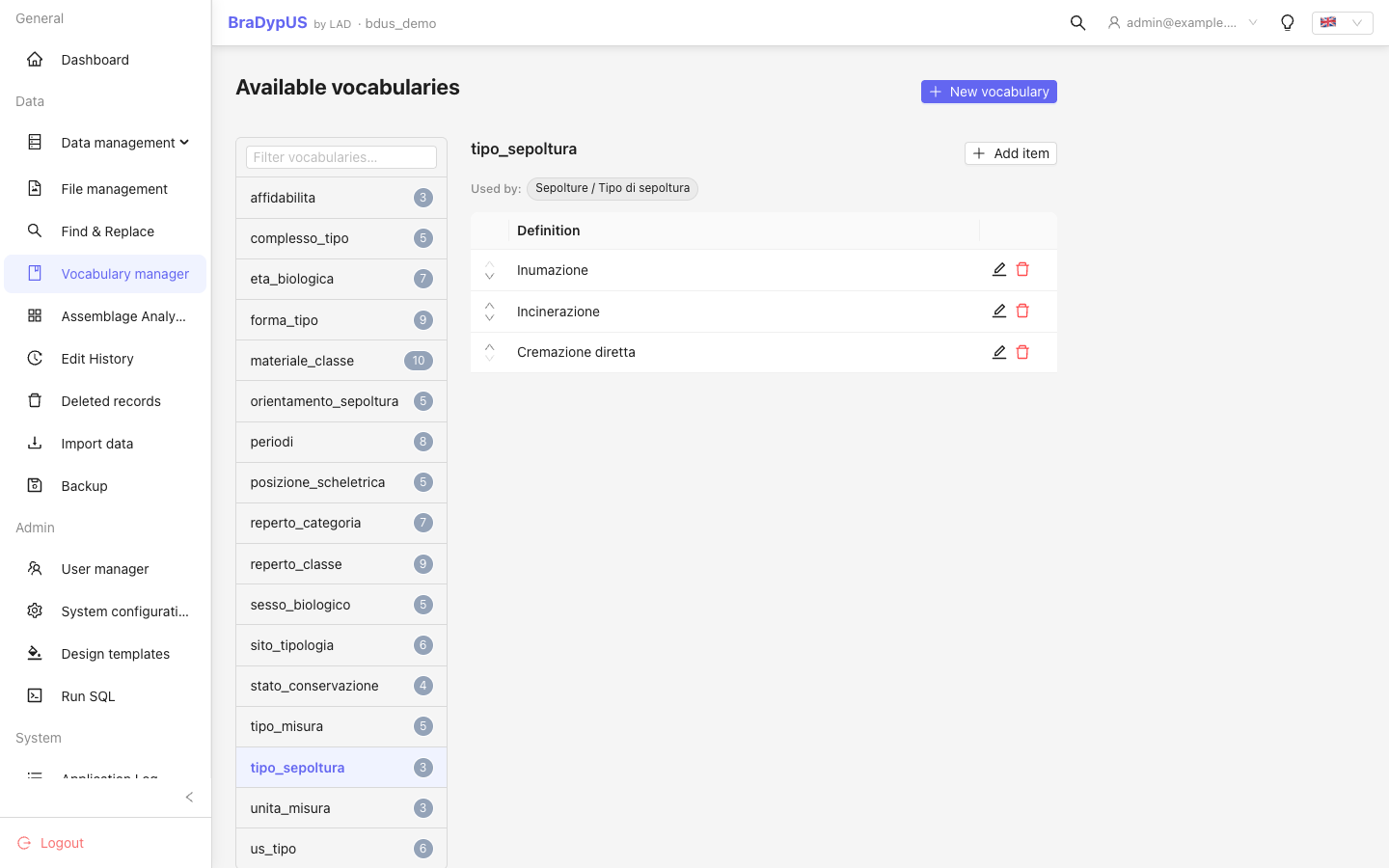
Structure
Each vocabulary belongs to a named list. The list name is what you set in the Vocabulary property of a field in Config → Fields.
Example: a field periodo of type select with vocabulary periodi will show the values from the periodi list.
Adding values
- Select the vocabulary list from the left panel (or create a new one with Add list).
- Click Add value and type the new entry.
- The value is immediately available in the field dropdown.
Editing and deleting values
Click any value to edit its text inline. Use the delete icon to remove it.
WARNING
Deleting a vocabulary value does not update existing records that already use it. Records will retain the old value; they will just not have it available in the dropdown for future edits.
Reordering values
Drag rows to change the display order in dropdowns.
combo_select fields
A combo_select field shows vocabulary values as autocomplete suggestions but also allows free-text input. This is useful when you want guidance without strict enforcement.