
Deleted records
When a record is deleted in BraDypUS, it is soft-deleted — the data is not immediately erased but kept as a snapshot that can be reviewed and restored.
Open Deleted records from the sidebar.
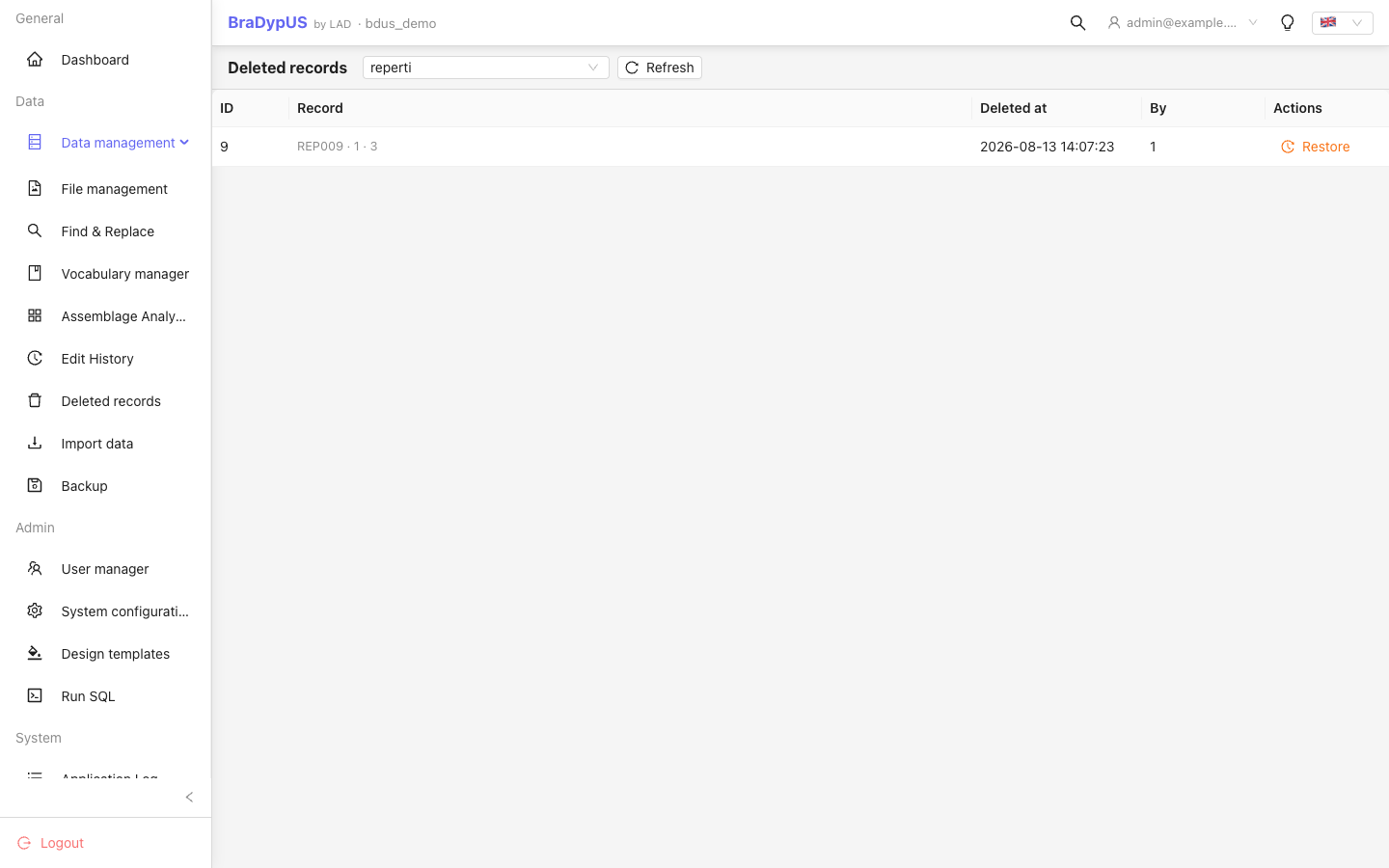
Browsing deleted records
- Select the Table from the dropdown.
- The list shows all soft-deleted records for that table, with the deletion timestamp and the user who deleted them.
- Click a row to preview the record's last known field values.
Restoring a record
Click Restore next to a deleted record. A confirmation dialog appears. After confirmation:
- The record is recreated with all its previous field values.
- A new
restoreentry is added to the version history. - The record becomes immediately visible in the normal record list.
Admin required
Restoring deleted records requires admin privilege.
Permanent deletion
There is no automatic purge. Snapshots of deleted records are kept in bdus_versions indefinitely — a deleted record remains restorable for as long as its snapshot row exists.
To permanently remove a deleted record and make it irrecoverable, a database administrator must manually delete its row(s) from bdus_versions. There is no in-app UI for this operation.